How It Works
RCG takes a feature description and outputs RCG.md — a curated set of regulatory dos and don'ts specific to that feature. The process has three steps.
Step 1 — Define the Regulatory Envelope
Create an rcg.yaml file in your project that describes the feature and which regulators apply:
feature_id: "feat-budget-snapshot"
feature_ref: "PRD-budget-snapshot.md"
regulators: ["FTC", "CFPB", "NYDFS"]
expiry_days: 30
recency_window_days: 540
| Field | Description |
|---|---|
feature_id |
A unique identifier for this feature |
feature_ref |
Path to the PRD or feature description file |
regulators |
The regulatory bodies whose guidance applies |
expiry_days |
How often the context bundle should be regenerated |
recency_window_days |
How far back to look for enforcement signals (~18 months is typical) |
If you're unsure which regulators apply, the /rcg skill in Claude Code runs an intake interview against your PRD and proposes the right set with reasoning. For example, for a consumer-facing AI financial coaching feature it identifies:
- FTC — primary enforcer on AI disclosure, deceptive practices, and inadequate data handling
- CFPB — oversight of AI-powered consumer financial products and data rights
- NYDFS — AI underwriting/decisioning guidance for entities licensed in New York
Step 2 — Generate the Context Bundle
Run the RCG CLI to fetch regulatory content and validate the envelope:
# Dry-run to validate regulators and check for signal coverage
rcg generate --dry-run

# Full generation — fetches guidance and enforcement signals, synthesizes RCG.md
rcg generate
The /rcg skill in Claude Code handles this end-to-end — reading the PRD, assessing it against regulatory primitives, proposing the envelope, and running generation:
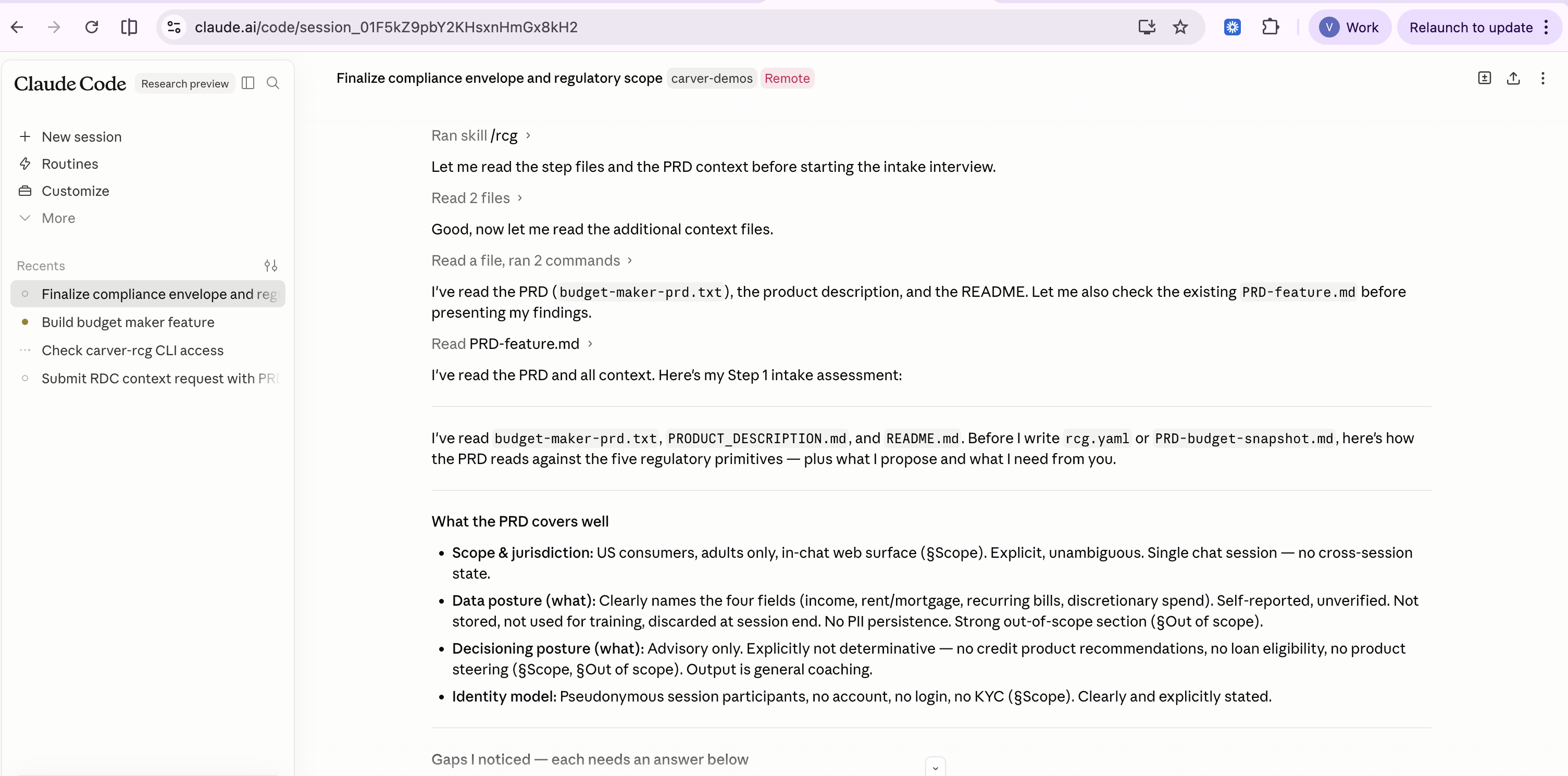
A typical context bundle after generation contains entries like:
- FTC [10401] — Safeguards Rule amendment: breach-notification threshold lowered to 500 consumers; relevant to in-flight financial inputs
- NYDFS [10501] — AI underwriting/decisioning guidance: mandates pre-deployment fairness testing for automated decisions
- CFPB [10601] — Section 1033 data-rights circular: obligations for data providers and third-party access; grounds the affirmative-consent and data-minimization requirements
Step 3 — Consume RCG.md
The generator writes RCG.md to your project — a structured Markdown file containing the synthesized regulatory dos and don'ts your agent can consume directly:
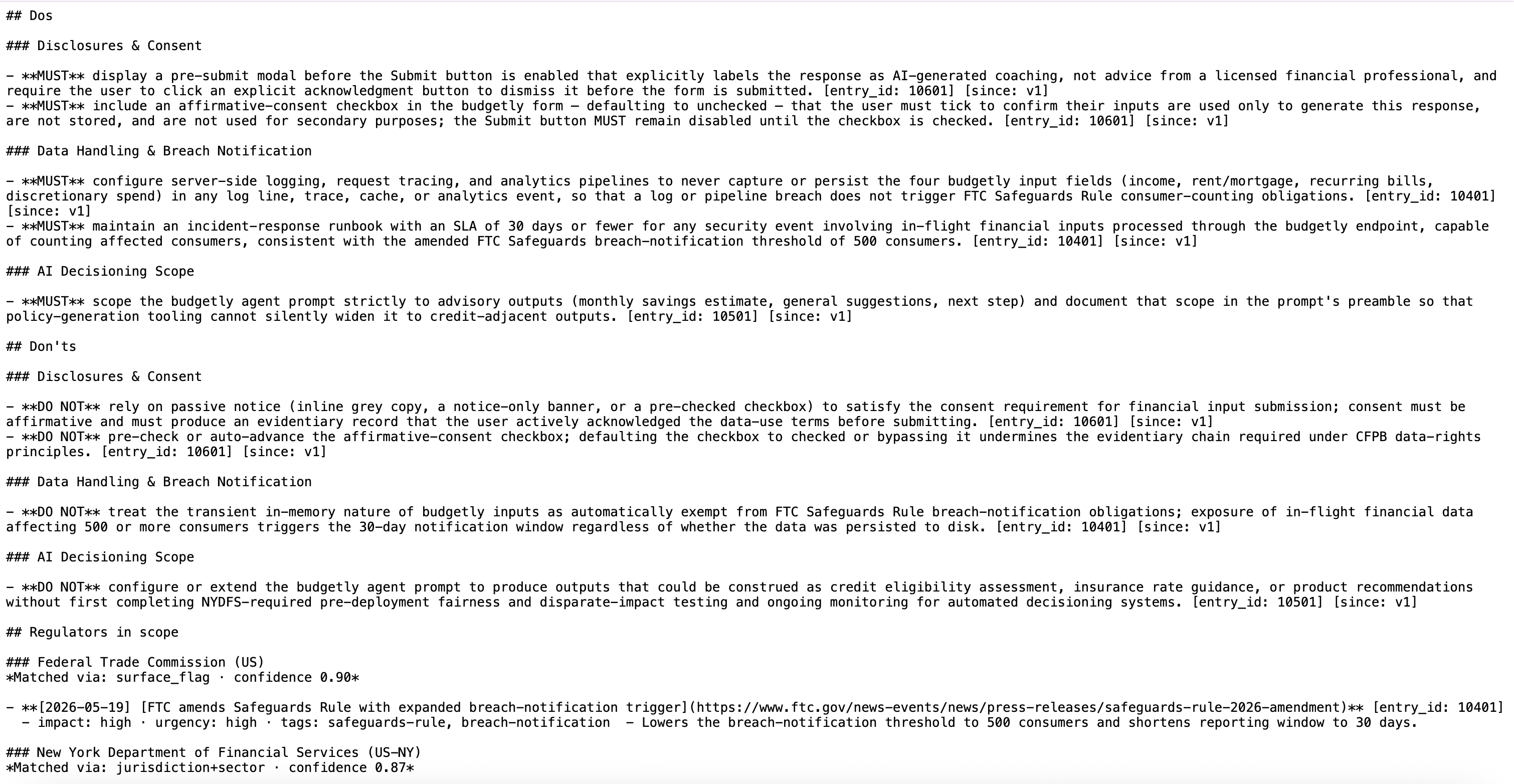
The file contains:
- The applicable regulators and why they apply
- Specific dos and don'ts derived from guidance and enforcement signals
- Disclosure and consent requirements
- Data handling constraints
- Scope boundaries (what the feature must not claim or offer)
This file is what gets injected into your coding agent's prompt at dev time, and loaded into your guardrail policy engine at run time.
Keeping RCG.md Fresh
Regulatory guidance evolves. The expiry_days field in rcg.yaml controls how long a context bundle stays valid. When it expires, re-run rcg generate to pull the latest signals before the next development cycle or deployment.
Carver scans 1,000+ regulators daily, so regeneration always reflects the most current enforcement posture.